k3s with opensense
這篇文章教學以 opensense 作為 cluster loadbalancer 安裝 k3s
在 opensense
-
安裝 haproxy
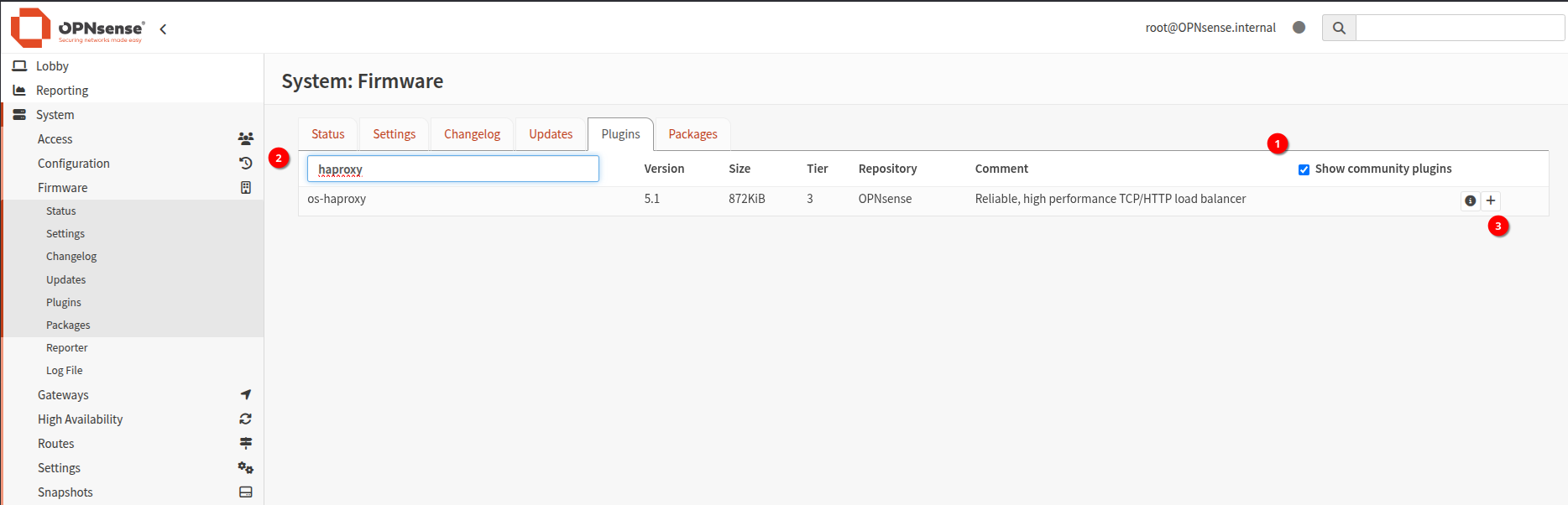
-
Interfaces: Virtual IPs: Settings 新增 VIP 並 apply config
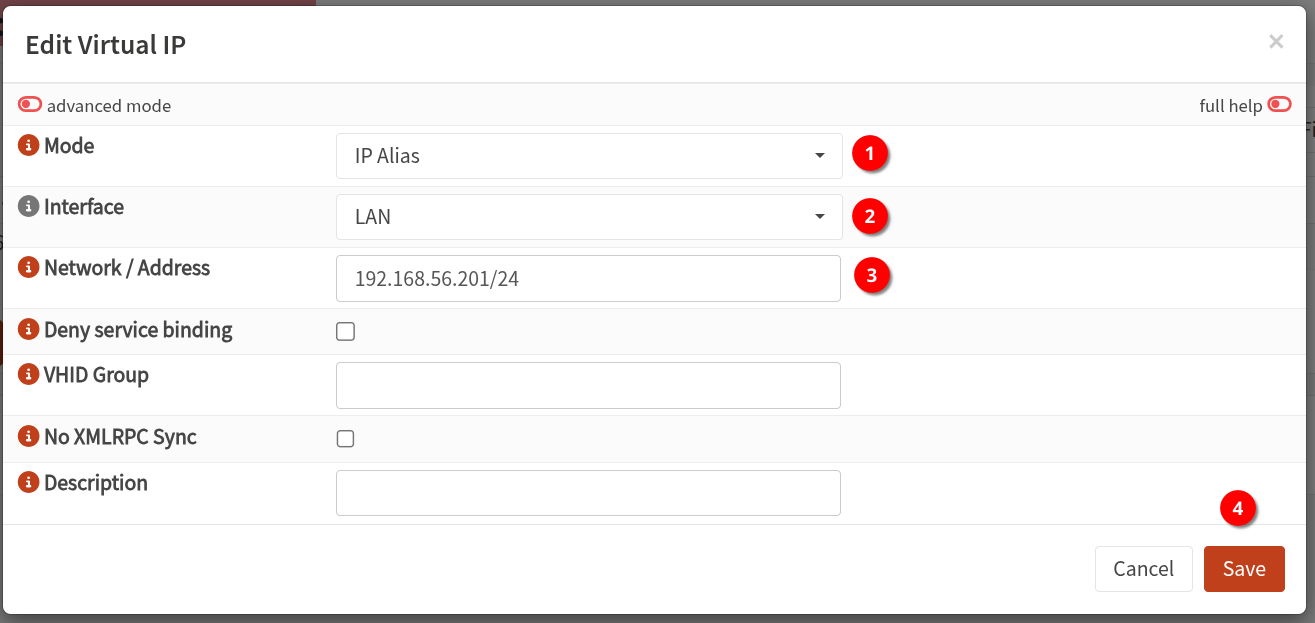
-
進入 Services: HAProxy: Settings - Rules & Checks - health Monitors 記得要點到三角形
另外選項有可能是 health Checks(根據版本)
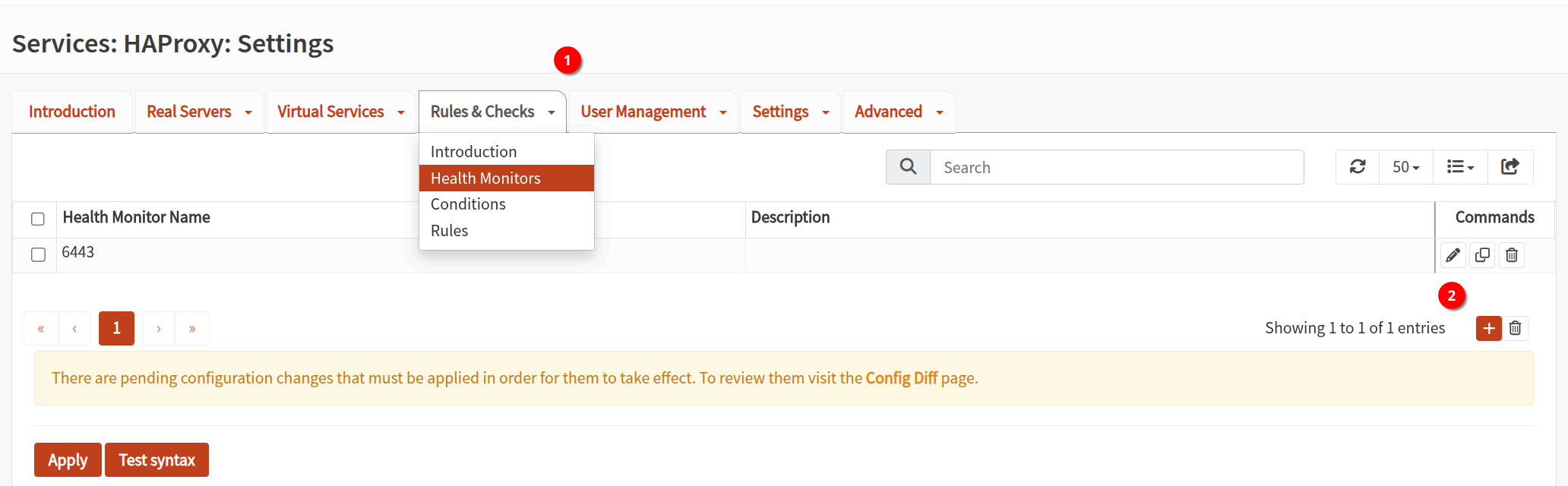
新增 monitor 6443 port
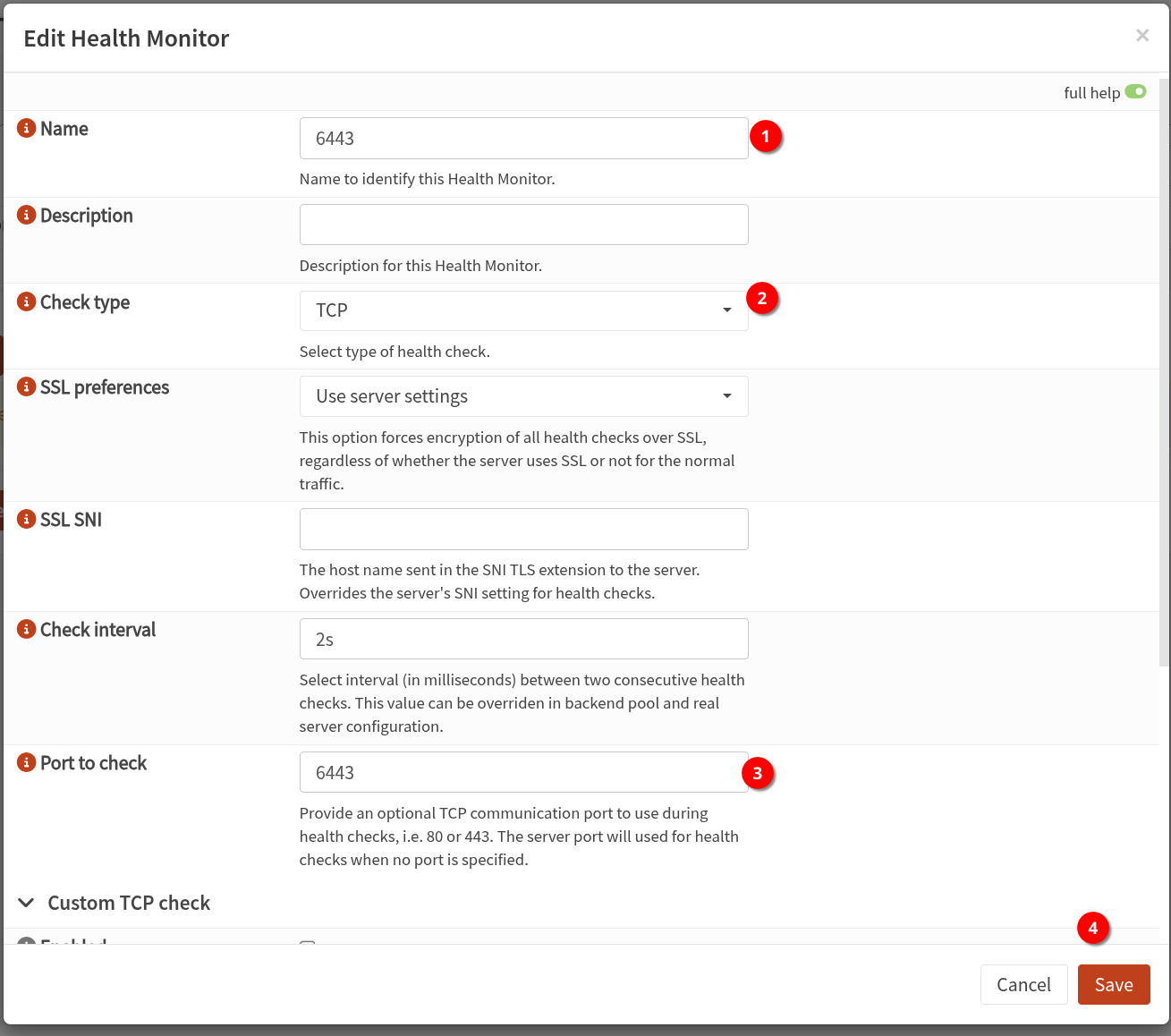
-
進入 Services: HAProxy: Settings - Real Servers - Real Servers 新增三台 k3s 主機 (圖片範例新增一台)
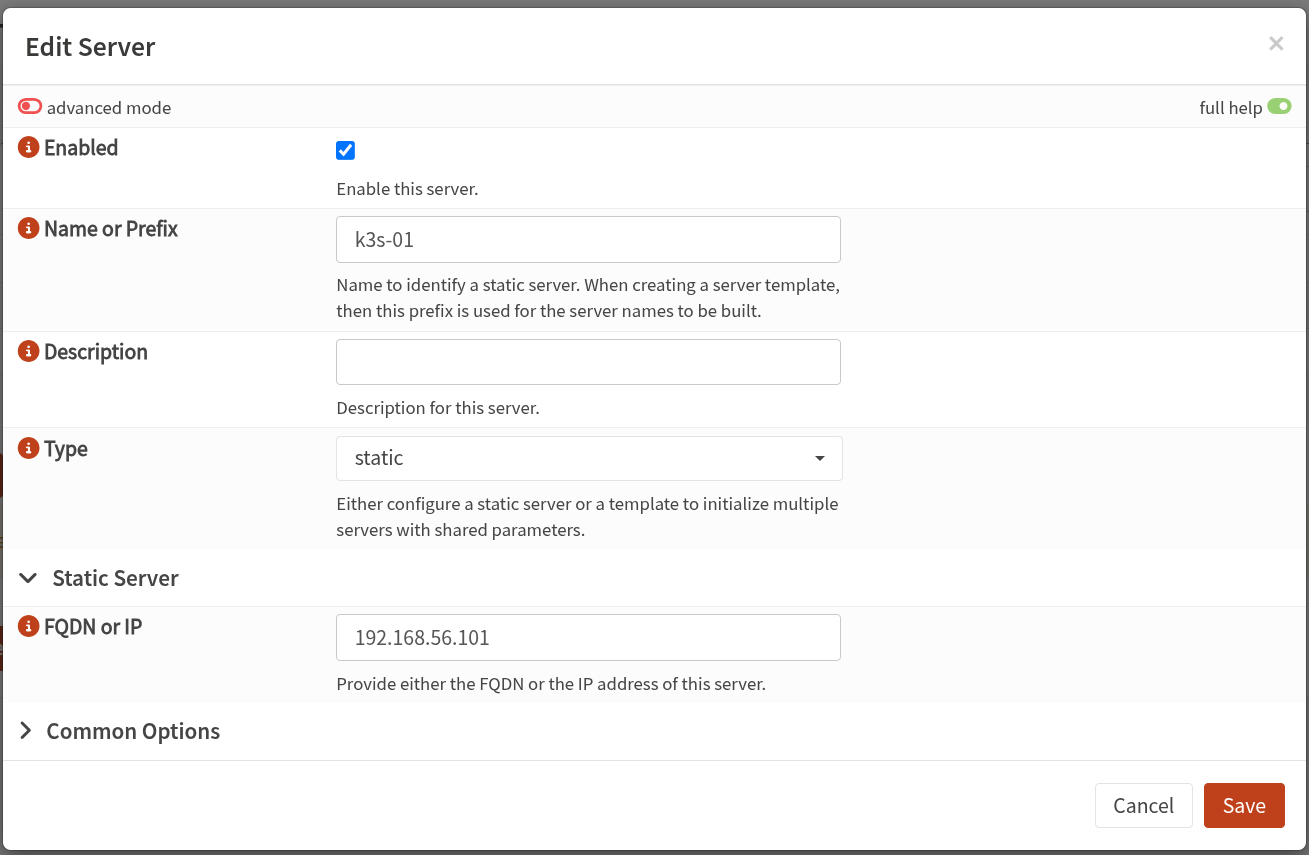
-
進入 Services: HAProxy: Settings - Virtual Services - Backend Pools
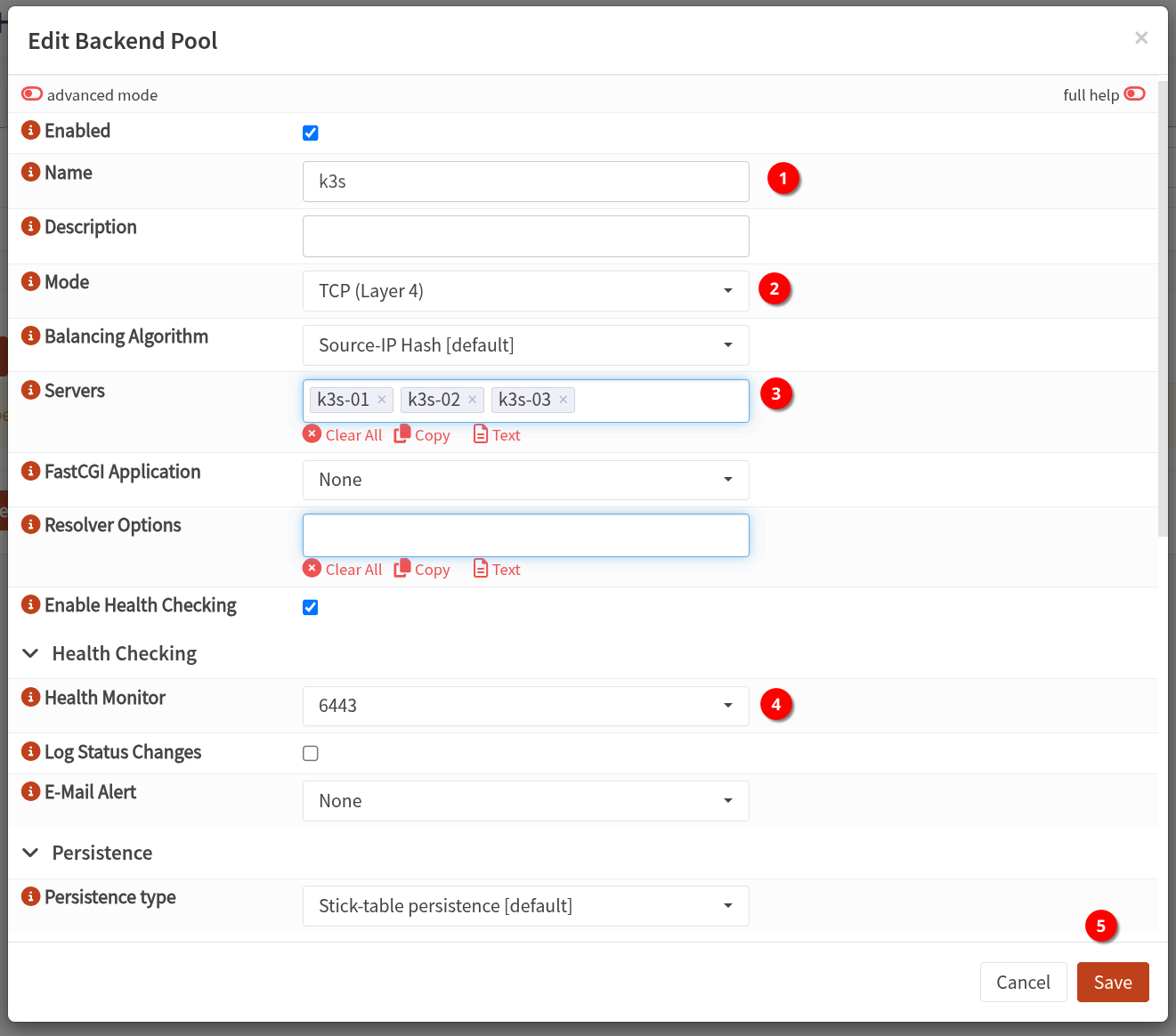
-
進入 Services: HAProxy: Settings - Virtual Services - Public Services
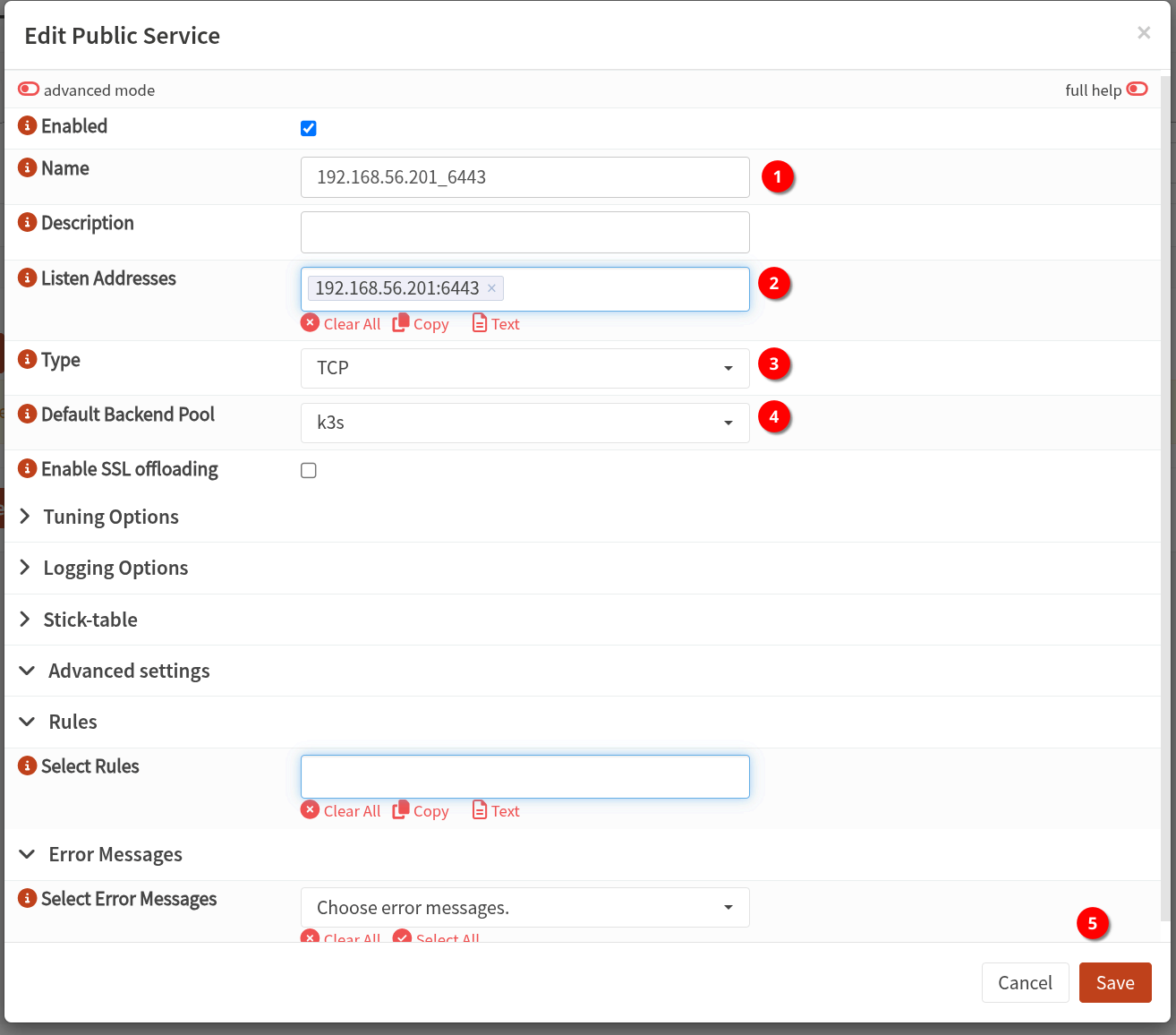
-
進入 Services: HAProxy: Settings - Settings - Service 套用前先 test syntax 後
勾選Enable HAProxyapply 設定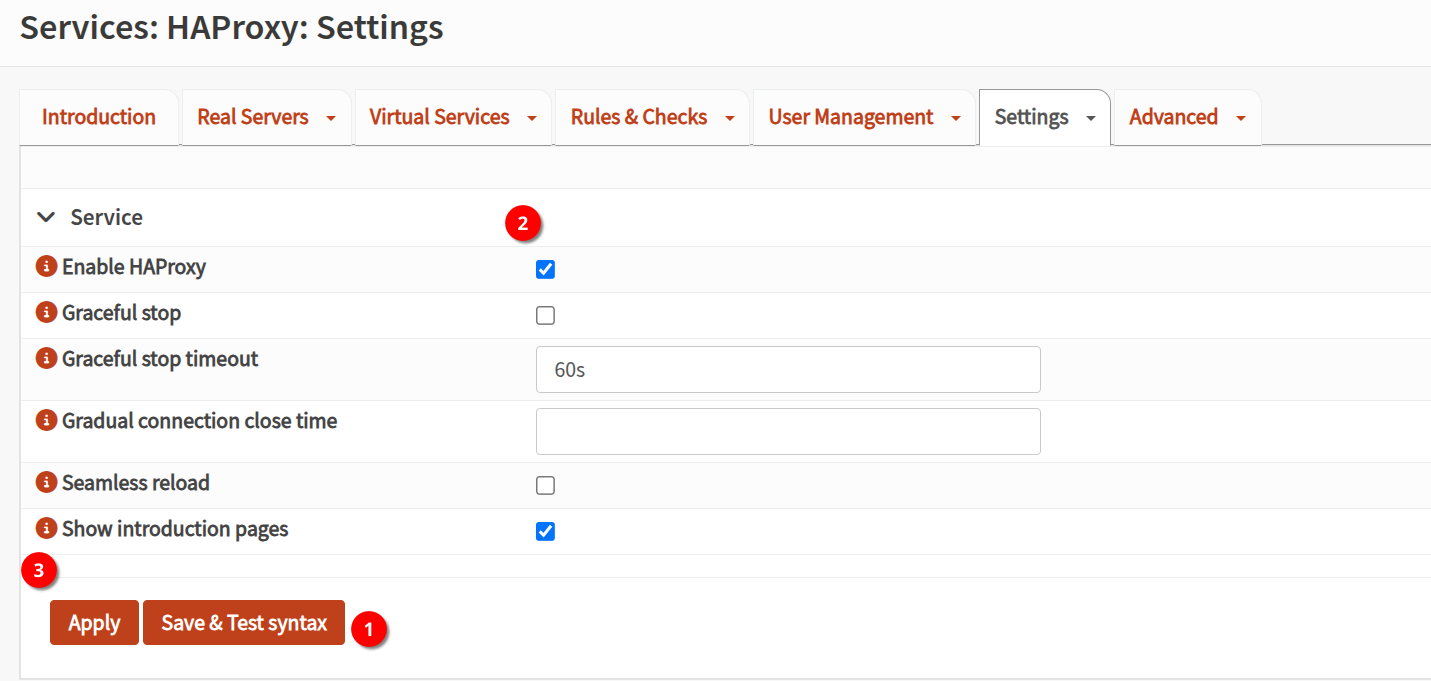
後續在安裝 k3s 時
額外設定 tls-san 讓憑證支援 loadbalance IP 就可以正常使用